


Disclaimer: BatchLeads does not provide legal, financial, or investment advice. This article is for informational purposes only. Suggested review schedules are general guidance, not data-update guarantees. Verify property information independently and follow applicable outreach requirements.
| Quick Answer: Review broader real estate lead lists monthly and time-sensitive leads weekly or more often near a deadline. Check campaign recipients before outreach and update seller feedback immediately. These are suggested review intervals, not platform data-refresh schedules. |
Imagine sending your fifth “Want to sell?” postcard to someone who sold their property after your second.
You’re paying to reach a seller who no longer owns the home, while new opportunities may be missing from your list entirely. That’s why real estate lead generation needs more than a one-time list download.
But how often should you update your lists? The answer depends on what you’re tracking and how you’re reaching out. Here’s how to build a practical review schedule and recognize when your list needs attention sooner.
Key Takeaways
- Review broad lead lists monthly, time-sensitive leads more often, and campaign recipients before outreach.
- Changes in ownership, equity, occupancy, and seller circumstances can affect whether a lead still fits your strategy.
- BatchLeads’ Quick Filters and custom tags make it easier to segment and review saved leads, while saved property information updates automatically as new data becomes available.
What Does Updating a Lead List Actually Mean?

If you use real estate lead generation software, some property information may already be updated automatically. Your job is to decide what those changes mean for your prospecting.
For example, BatchLeads updates saved property data and categorizes leads through Quick Filters in My Lists. That doesn’t make a previous campaign export current or tell you what an owner said during your last conversation.
Think of list maintenance as three tasks:
- Review existing prospects: Check whether they still meet the criteria for your campaign.
- Find new matches: Search for properties that now qualify but aren’t in your saved list.
- Update outreach records: Record seller responses, flag wrong or disconnected numbers for further research, and update contact preferences and next steps.
A property can remain a useful prospect even when it belongs in a different campaign. A vacant home that becomes rented, for example, may still interest an investor buying occupied rentals.
A Practical Schedule for Updating Your Lead Lists
Start with monthly reviews of broader lists, weekly checks for time-sensitive leads, and a review before each campaign launch or mailing batch. Record information from conversations immediately.
Note: These are suggested review intervals. Increase the frequency when a known deadline or active negotiation requires it.
| Lead list or situation | Suggested review timing | What to check and why |
| Active seller conversations | After each conversation and before the agreed-upon follow-up | Update the owner’s timeline, interest, and next step. |
| Pre-foreclosures | Weekly, more often near a scheduled auction | Review current status and relevant dates before deciding whether the opportunity is still actionable. |
| Failed listings | Weekly during active prospecting; before outreach | Check whether the property has been relisted, gone pending, or sold. An earlier listing failure may no longer describe the situation. |
| Vacant properties | Monthly, aligned with available vacancy updates | Review current vacancy indicators and ownership. Confirm occupancy before relying on it in a conversation or offer. |
| Absentee owners, high-equity, or free-and-clear properties | Monthly as a starting point | Check ownership and whether the property still meets your occupancy, equity, or mortgage criteria. |
| Tax-delinquent properties | Monthly, sooner near a relevant deadline | Check the delinquency period and whether the balance remains outstanding using current local records. |
Your campaign calendar adds another checkpoint. Before sending a mailing batch or restarting a calling campaign, review the actual recipients, including any exported file being reused.
Pro Tip: In BatchLeads, you can first filter a saved list, then apply Quick Filters to assess the properties within that group. This helps you review the prospects intended for your next campaign instead of your entire database.
Review the Reason You Selected Each Lead
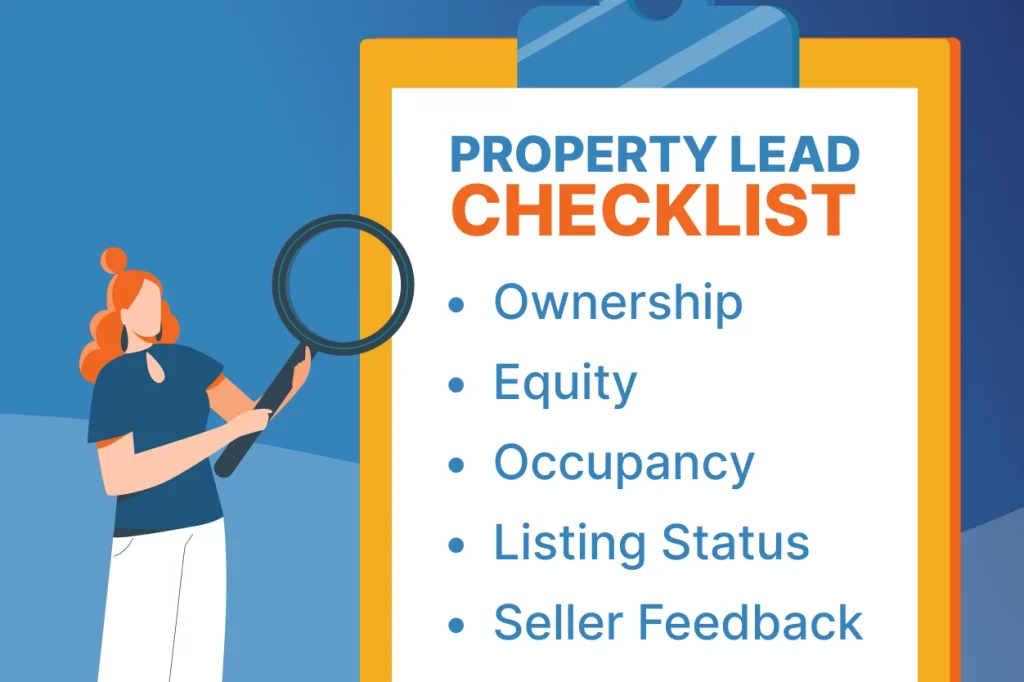
Once you’ve set a review schedule, revisit why you selected each lead. If you added a property because it was vacant, had sufficient equity, or had a failed listing, check whether that condition still applies before your next outreach.
Focus on the details that could change your next step:
- Ownership: Confirm whether the same person or entity still owns the property. A transfer may mean your previous contact is no longer relevant.
- Equity and mortgages: Check whether current estimates still meet your criteria. Use estimated equity to screen opportunities, then verify outstanding obligations during deal evaluation.
- Occupancy: Review whether the property still appears vacant or owner-occupied. A change may move it out of one campaign and into another.
- Listing or distress status: Check whether the property has been relisted, gone pending, sold, or had its distress status change. Review relevant dates rather than relying on an older label.
- Seller feedback: Update your next step based on what the owner has told you, including their timeline, interest, or request to stop contact.
For example, suppose you selected a property because it had at least 40% estimated equity. It now shows 32%. Before continuing the same campaign, reassess whether it still fits your acquisition criteria. You might pause it for further research or remove it from that campaign.
Pro tip: Even when a property still qualifies, its owner may not want to sell. Use property information to decide where to focus your research, then use conversations to understand the seller’s circumstances.
Keep Your Prospecting Current With BatchLeads

BatchLeads combines property information with search, list management, and outreach tools to help you find new opportunities and reassess existing prospects.
Build your review routine around features that help you:
- Find relevant prospects: Use property, ownership, mortgage, and MLS filters to identify properties that fit your investment criteria.
- Research before reaching out: Review property and owner profiles for ownership history, property details, and other properties in an owner’s portfolio.
- Organize overlapping opportunities: Use list stacking and deduplication to identify properties across multiple lists and manage duplicate records.
- Find owner contact information: Skip tracing is included on every plan. When you save a lead, BatchLeads automatically adds available owner phone numbers and email addresses, subject to your plan’s monthly lead allowance.
- Move into outreach: Create and schedule direct mail campaigns or use Click-to-Dial to contact owners while viewing their property profiles.
Pair these tools with regular campaign reviews and seller feedback to keep your outreach relevant as circumstances change.
Ready to put your next lead list to work? Start your 7-day free trial of BatchLeads to explore properties, organize prospects, and plan your next campaign.
Signs Your Lead List Needs an Earlier Review
Your schedule is a starting point. Review a list sooner if you notice:
- More wrong numbers or returned mail: Flag affected records and verify contact details before continuing outreach.
- Owners saying they already sold: Recheck ownership and remove previous owners from that property’s acquisition campaign.
- Repeated outreach to the same prospects: Review overlapping lists and campaign assignments to avoid unnecessary contact.
- Messages that no longer fit: If an owner says the vacant home is now rented, update your records and reconsider your approach.
A declining response rate also deserves attention, but it doesn’t automatically mean your list is outdated. Review your messaging and timing alongside the data before deciding what to change.
| Important: Keep Useful History While You Refresh Avoid deleting and rebuilding everything just because a list is older. You could lose useful context about who responded, who needs follow-up, and who should be excluded.BatchLeads customizable tags can help organize properties by strategy, market, or campaign period. |
Put Your Lead Lists to Work With BatchLeads
You don’t need to research every saved property every day. Give the most attention to leads you’re actively pursuing, approaching deadlines, and recipients of your next campaign.
BatchLeads brings property search, AI tools, list management, skip tracing, Click-to-Dial, and direct mail into one platform. Find properties that match your investment criteria, reassess saved prospects with Quick Filters, and connect with owners through built-in outreach tools, making it easier to identify and pursue your next investment opportunity.
Build your next list with a plan to keep it relevant. Start your 7-day free trial of BatchLeads and turn property research into more focused outreach.
FAQs
How often should I update my real estate lead lists?
A monthly review is a practical starting point for broader lists. Review time-sensitive leads, such as pre-foreclosures, weekly or more frequently, near a deadline. Check recipients before each campaign.
What information should I check before contacting a property owner?
Review ownership, contact details, listing status, and the criteria that originally qualified the property. Check previous conversations and contact preferences before reaching out.
Does BatchLeads automatically update saved lead information?
BatchLeads updates supported saved property information as new source data becomes available, except for self-managed records. Quick Filters help categorize saved prospects, while update timing varies by data type and source. Start a 7-day free trial to explore its property search and list management tools.
Should I delete old real estate leads?
Age alone isn’t a reason to delete a lead. Reassess its relevance, preserve conversation history, and adjust campaign participation based on current information and the owner’s preferences.
Does updating a lead list mean contacting everyone again?
No. Reviewing information and contacting owners are separate tasks. Follow up based on the seller’s timeline, previous responses, and contact preferences rather than automatically restarting outreach.
Do motivated seller lists guarantee that owners want to sell?
No. Vacancy, equity, and distress indicators help identify prospects for research. Conversations with owners are needed to understand their interests, circumstances, and timeline.